
Phone For Kids
More Games




What Phone For Kids Is All About
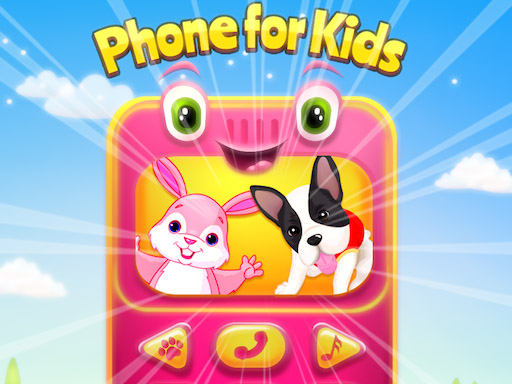
Handing a child a real phone and watching them instinctively swipe, tap, and explore feels like witnessing a tiny scientist running experiments. Phone For Kids captures that same curious energy inside a safe, purpose-built virtual device where every button leads to a learning moment instead of an accidental purchase. Much like classroom quiz and learning apps that weave education into playful loops, Phone For Kids turns each tap into a mini-lesson wrapped in bright colors and cheerful sounds.
The virtual phone on QuilPlay presents a home screen filled with icons. Each icon opens a different activity — animal sounds, number matching, color identification, shape sorting, or simple music play.
Mastering the Controls
Every interaction is a single tap or click. There are no swipe combos, no long presses, and no drag-and-drop sequences that might frustrate small hands. Tapping an icon opens its activity, and tapping the central home button returns to the main screen. Phone For Kids removes control barriers so the focus stays entirely on the content inside each mini-game.
A common stumble for young players is tapping too rapidly and accidentally backing out of an activity before it finishes. Guiding them to wait for the animation or sound to complete before tapping again helps them get the full reward from each interaction.
Music and Soundtrack in Phone For Kids
Sound is half the learning in Phone For Kids. Animal icons play realistic calls — a rooster crows, a cat meows, a dog barks — and children quickly associate the image with the audio. Musical activities let kids tap virtual piano keys or drum pads, producing notes that scale correctly so early musical instincts get accurate feedback. Volume levels stay gentle to protect young ears, and every sound effect is short enough to hold attention without overwhelming a room.
Tips to Get the Most Out of Phone For Kids
Children often gravitate toward a single favorite activity and ignore the rest of the phone. The result is a narrow play session that misses most of the learning content. The fix is to sit alongside the child for the first few sessions and tap a new icon together after each completed activity, building a habit of exploration rather than repetition.
Another common pitfall is leaving the child without verbal interaction during play. Phone For Kids is designed as a conversation starter: when the cow icon moos, asking the child to name the animal reinforces the connection between sound, image, and language. Pairing Phone For Kids with short verbal prompts doubles its educational value.
Progression and Rewards in Phone For Kids
Phone For Kids follows the same learn-through-play reward structure found in the best classroom apps. Completing an activity triggers a cheerful animation — stars burst across the screen, a jingle plays, and the icon gains a small badge. These micro-rewards encourage children to revisit activities and try ones they previously skipped. There is no failure state; every tap produces a positive response, keeping frustration at zero and curiosity at maximum.
QuilPlay presents Phone For Kids free in your browser, making it easy for parents and educators to add a quick learning break to any routine. Open the page, let small hands explore, and watch each tap turn into a tiny discovery.
Quick Answers About Phone For Kids
What happens when a child taps the wrong icon in Phone For Kids?
There is no wrong tap. Every icon leads to a valid activity, and every activity responds with positive audio and visual feedback. If a child accidentally opens an unintended activity, tapping the central home button returns them to the main screen instantly with no penalty.
How does Phone For Kids compare to classroom quiz and learning apps?
Classroom apps typically follow a structured quiz format with scored answers and progression gates. Phone For Kids uses the same learn-through-play reward structure but removes scoring entirely, letting children explore at their own pace without right-or-wrong pressure.
What controls does a child need to know to use Phone For Kids?
Only a single tap or click. Every activity responds to one-touch input, and the home button in the center of the virtual phone always returns to the main screen. No keyboard, no swipe gestures, and no multi-finger inputs are required.
to leave a comment.